



Install Steam
sign in
|
language
简体中文 (Simplified Chinese)
繁體中文 (Traditional Chinese)
日本語 (Japanese)
한국어 (Korean)
ไทย (Thai)
Български (Bulgarian)
Čeština (Czech)
Dansk (Danish)
Deutsch (German)
Español - España (Spanish - Spain)
Español - Latinoamérica (Spanish - Latin America)
Ελληνικά (Greek)
Français (French)
Italiano (Italian)
Bahasa Indonesia (Indonesian)
Magyar (Hungarian)
Nederlands (Dutch)
Norsk (Norwegian)
Polski (Polish)
Português (Portuguese - Portugal)
Português - Brasil (Portuguese - Brazil)
Română (Romanian)
Русский (Russian)
Suomi (Finnish)
Svenska (Swedish)
Türkçe (Turkish)
Tiếng Việt (Vietnamese)
Українська (Ukrainian)
Report a translation problem

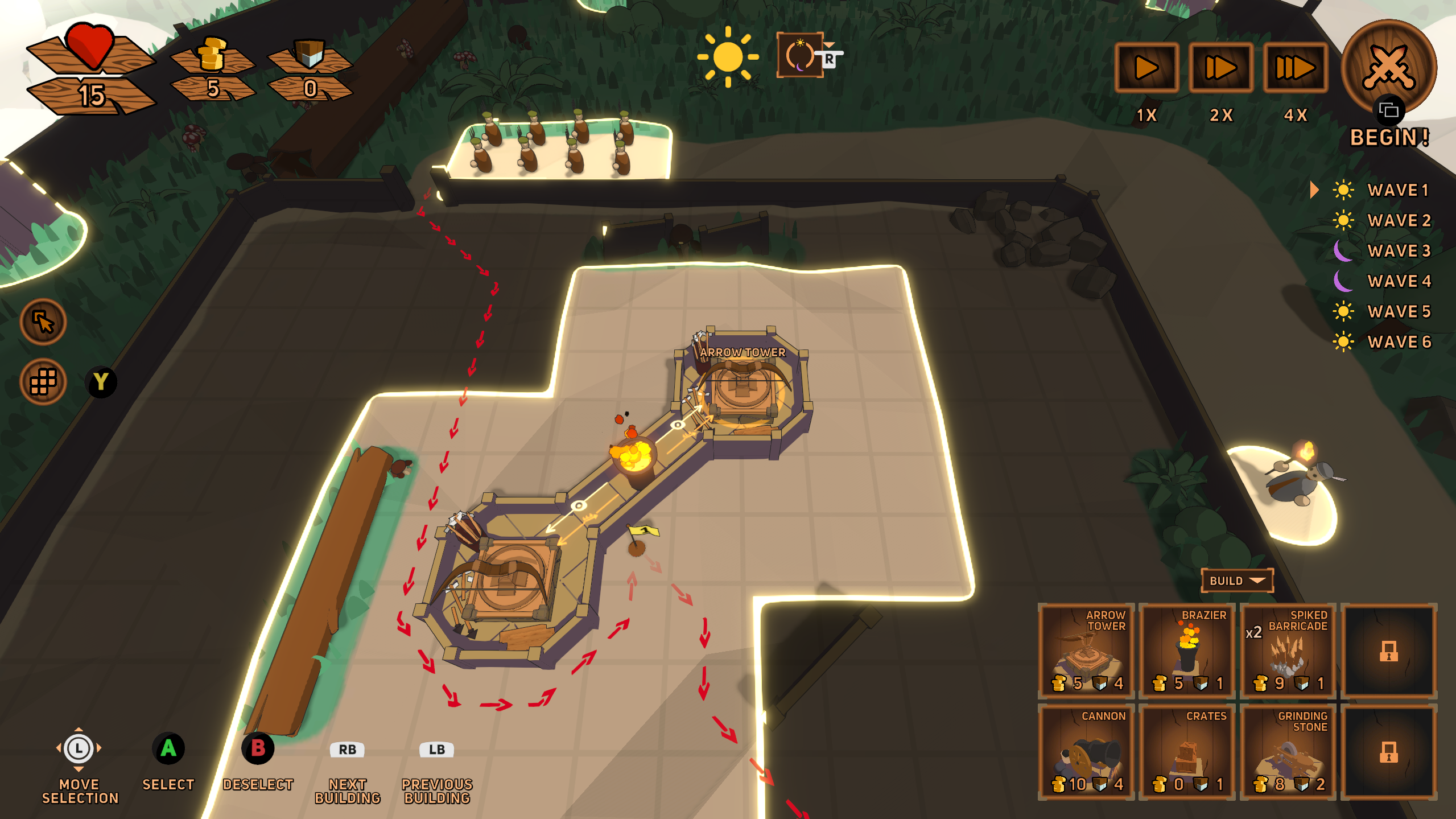 Controller glyphs in some shape or form are always present when you are expected to take an action. For example here, in free selection mode, you can cycle through built towers or incoming enemies with the Left Stick, and with a standard Submit button (A on the deck) you can inspect their stats.
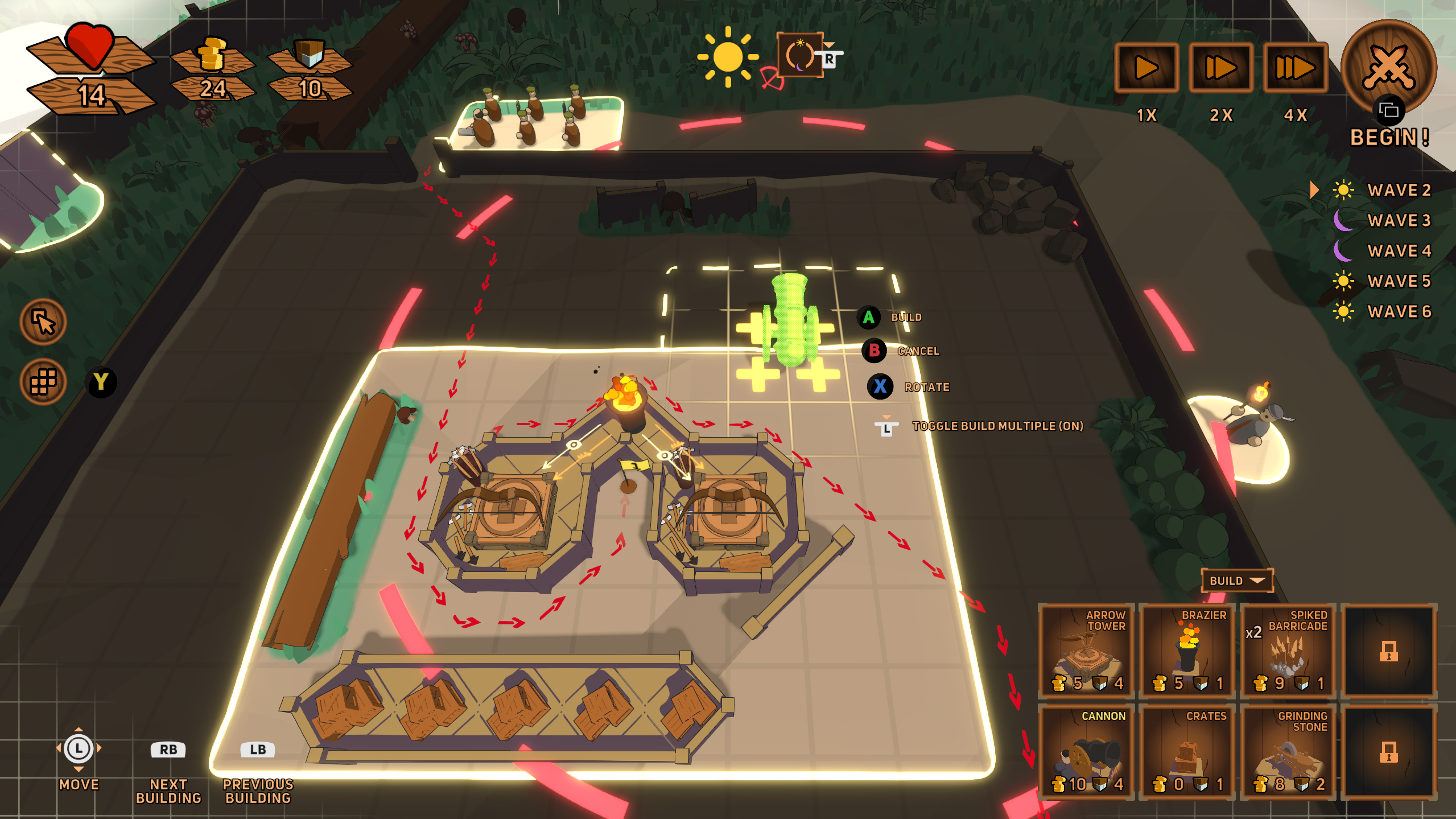 When building a new tower, helpful glyphs appear on the right side of the outline of the building, much like in the keyboard & mouse version. If buttons are accessible with the click of some button, that button's glyph appears on the button.


 Loading

