



Install Steam
sign in
|
language
简体中文 (Simplified Chinese)
繁體中文 (Traditional Chinese)
日本語 (Japanese)
한국어 (Korean)
ไทย (Thai)
Bahasa Indonesia (Indonesian)
Bahasa Melayu (Malay) BETA
Български (Bulgarian)
Čeština (Czech)
Dansk (Danish)
Deutsch (German)
Español - España (Spanish - Spain)
Español - Latinoamérica (Spanish - Latin America)
Ελληνικά (Greek)
Français (French)
Italiano (Italian)
Magyar (Hungarian)
Nederlands (Dutch)
Norsk (Norwegian)
Polski (Polish)
Português (Portuguese - Portugal)
Português - Brasil (Portuguese - Brazil)
Română (Romanian)
Русский (Russian)
Suomi (Finnish)
Svenska (Swedish)
Türkçe (Turkish)
Tiếng Việt (Vietnamese)
Українська (Ukrainian)
Report a translation problem


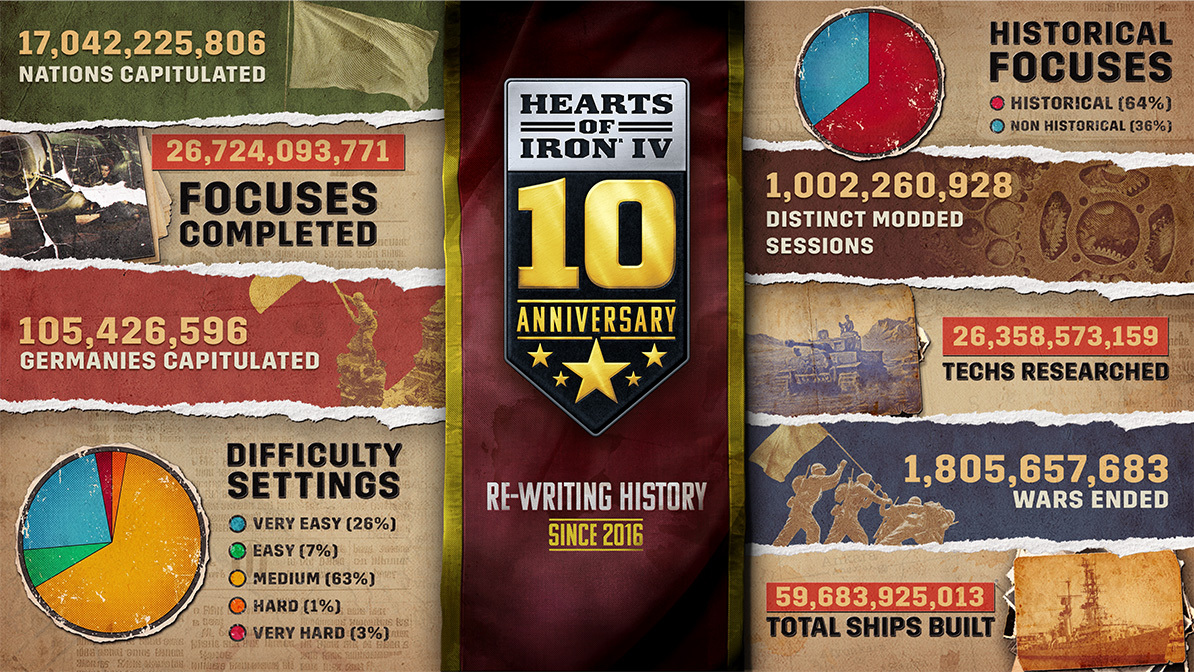
; font-family: -apple-system, BlinkMacSystemFont, \Segoe UI\, Oxygen, Ubuntu, Cantarell, \Fira Sans\, \Droid Sans\, \Helvetica Neue\, sans-serif; font-size: 14px; font-style: normal; font-variant-ligatures: normal; font-variant-caps: normal; font-weight: 400; letter-spacing: normal; orphans: 2; text-align: start; text-indent: 0px; text-transform: none; widows: 2; word-spacing: 0px; -webkit-text-stroke-width: 0px; white-space: normal; background-color: rgb(29, 64, 88); text-decoration-thickness: initial; text-decoration-style: initial; text-decoration-color: initial;) AVAILABLE FOR A LIMITED TIME ONLY
AVAILABLE FOR A LIMITED TIME ONLY


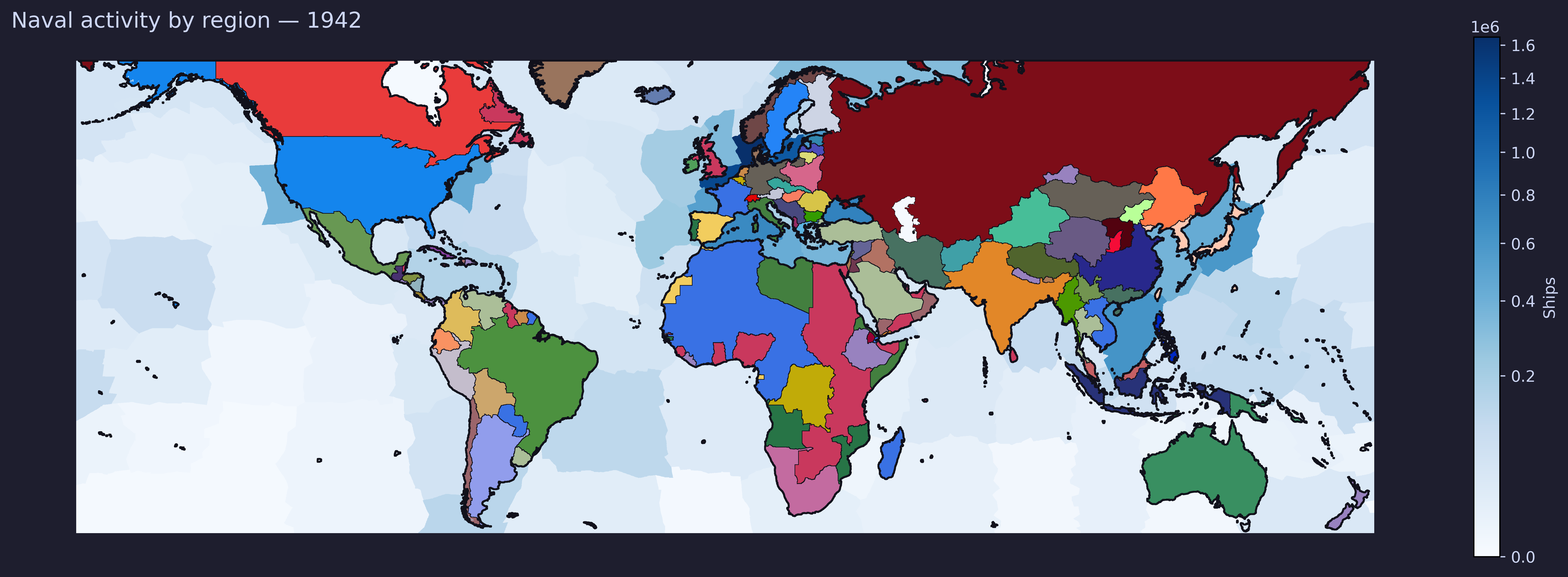
 Where players have been sending their boats these last years
 Interestingly (maybe?) we have a short animated version, but the variance is so low that it basically looks exactly like the static image above.
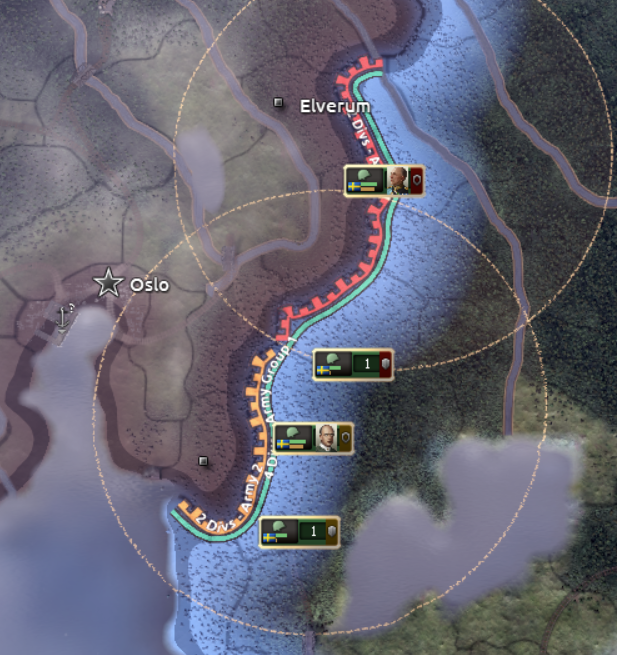 At the time, my most eminent colleague Zwirbaum noted it as “Dangerously shippable”, and it certainly is an enticing thought. From the perspective of a designer, a strong prototype or visual mockup is a good starting point for further ideation. We used this together with initial design documentation to produce further prototypes. Initially, we considered it as a way to consolidate the general abilities and skill bonuses, and give the player a way to sort of direct the intention of their use, along with making the effects more visible on the game map. Simply put, we’d enable abilities for units inside the commanders radius, along with buffing stats inside there. Additionally, we wanted generals to be capturable if their assigned division was encircled and destroyed.
 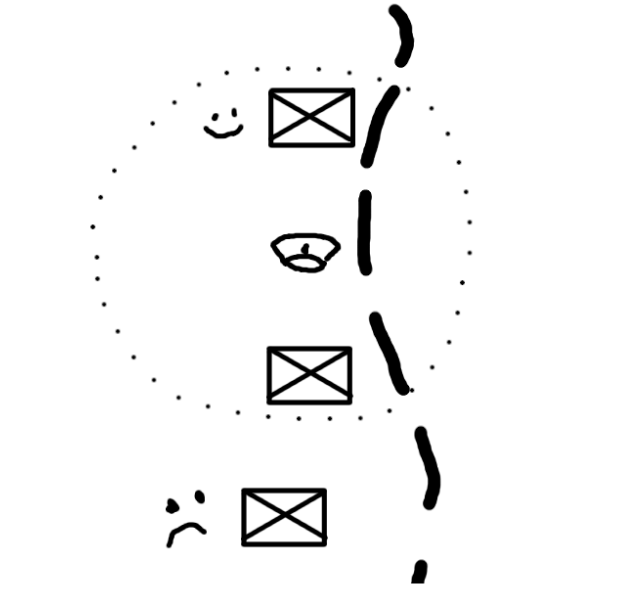 Inside the circle, abilities active, buffs apply; outside, nothing!
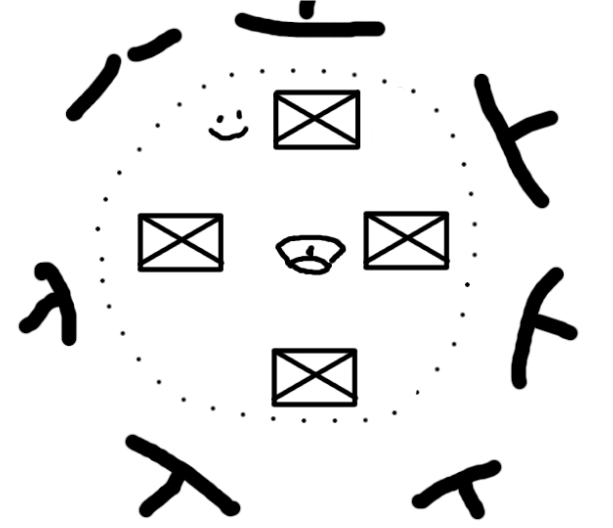 Somehow the ideal case scenario. What.
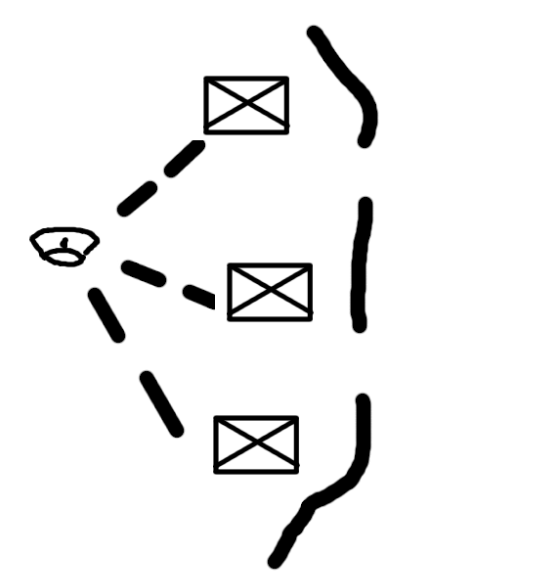 You can probably see where this is going
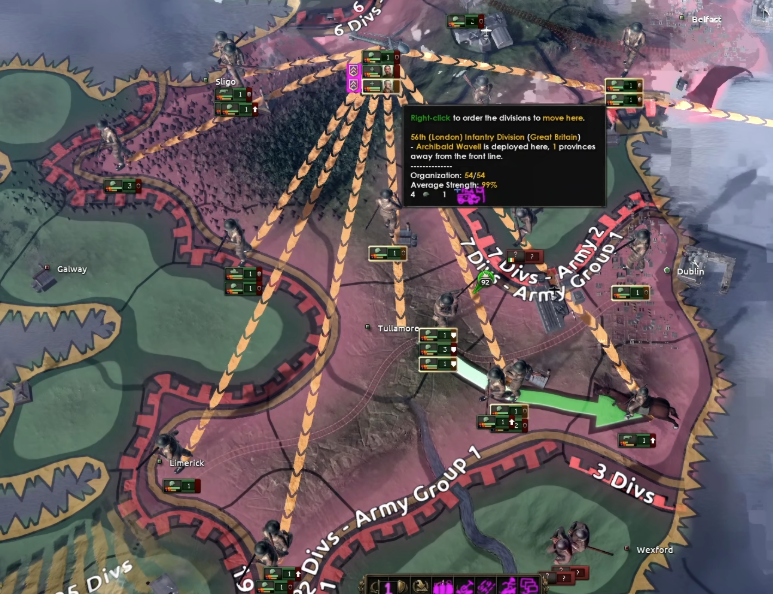 Working with lines like that being the visual part certainly avoids the feeling of missed space and opportunity. Additionally, the bonuses now apply to units of the same Order, rather than just being in the same Army outright. In order to give benefits to units in terms of ability usage and planning bonus, players would have to attach the general to the same order. All that said, just adding a bunch of lines and calling it a day is sadly not enough to build a readable, and hopefully usable, feature on.
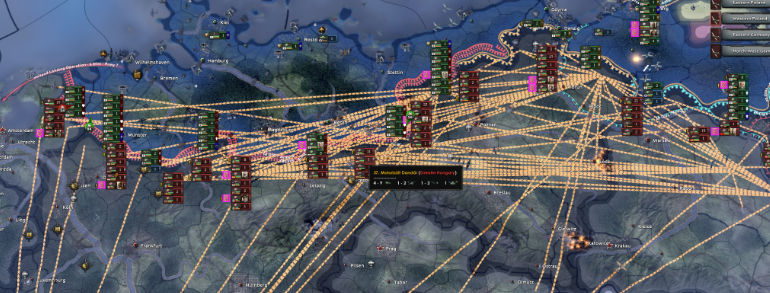 Hmmmm
Hmmmm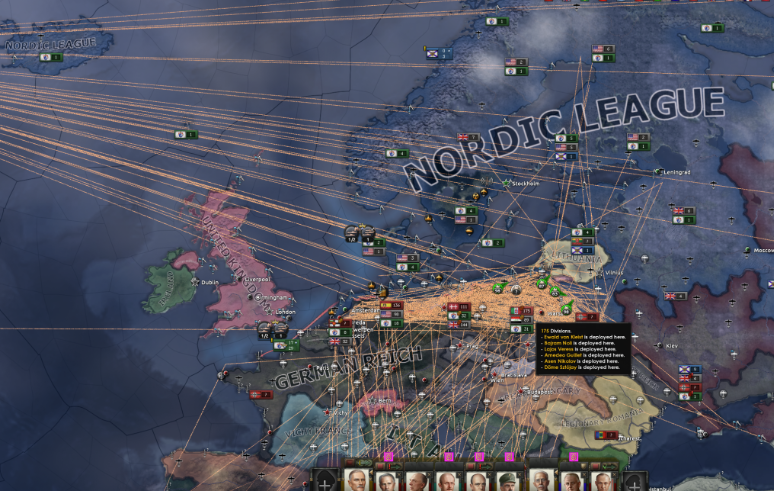 Yes, quite.
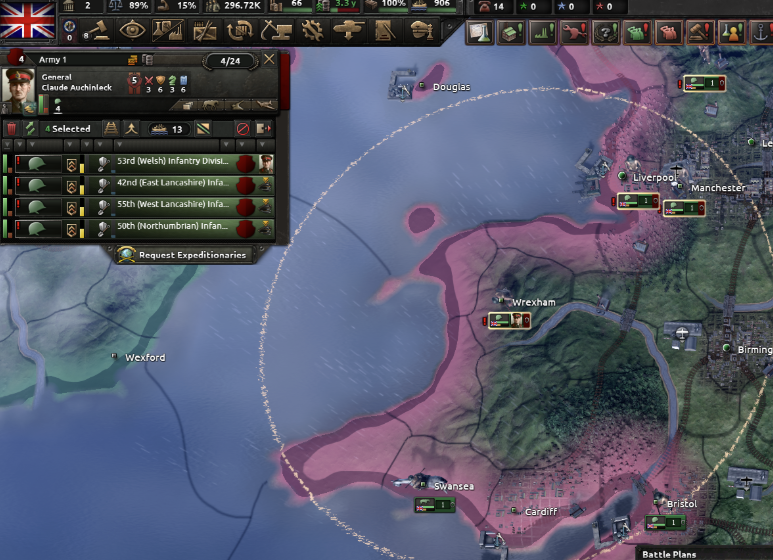 A division with an assigned general from the old Dev Diary
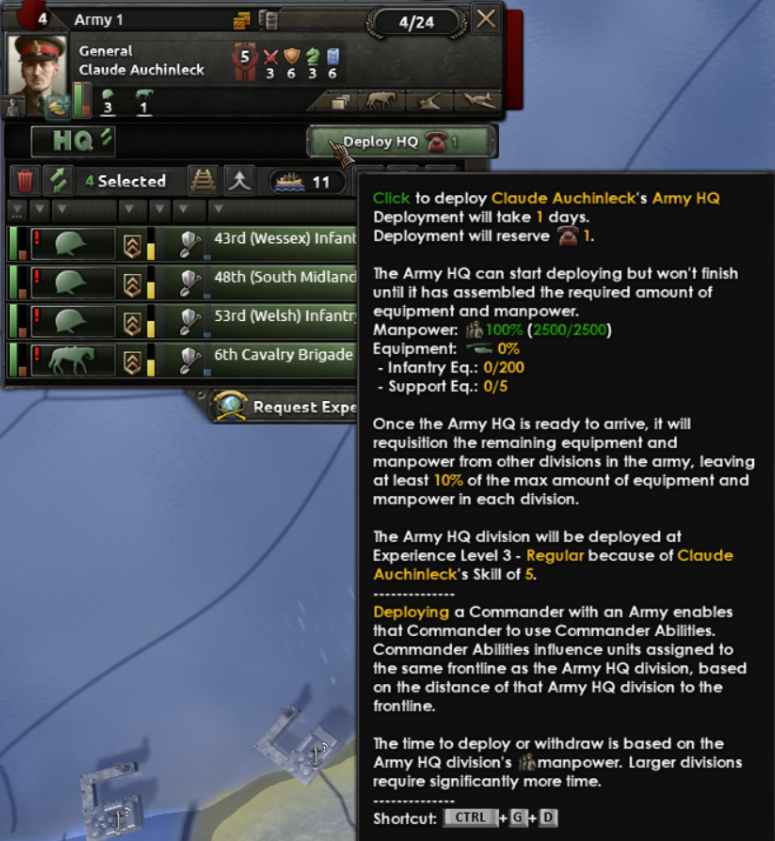 Deploying allocates a certain amount of Command Power until the deployment is over. Additionally, it costs the indicated equipment to fully deploy the HQ. Note that HQ units cannot be trained like other units, only deployed this way.
 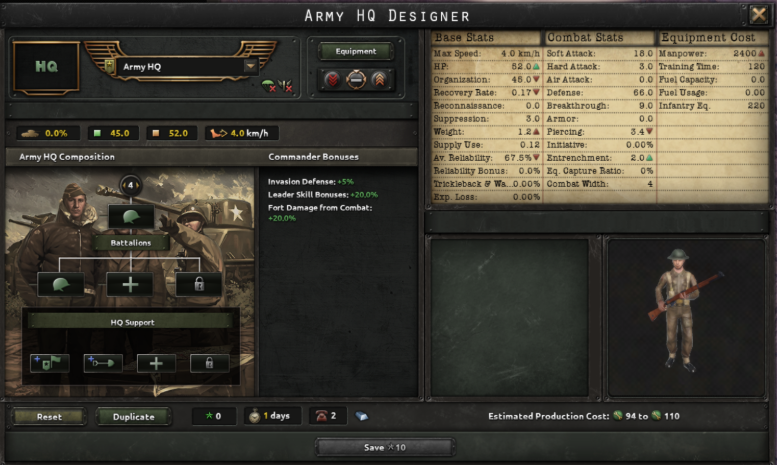 Army HQs don't count towards total division count in an army (but they do count towards volunteer limits, mind, to prevent exploits), so when designing HQ units we want to focus on different things. The CP cost of deployment, as well as the time it takes to deploy them increases with the size of the HQ division; but of course, if it’s bigger it will both be stronger in case it gets caught up in combat, and it can provide more bonuses to its assigned army. But we don’t want it to be put in the rest of the division templates and have it mixed up, at which point it would just be another template. Which it is.
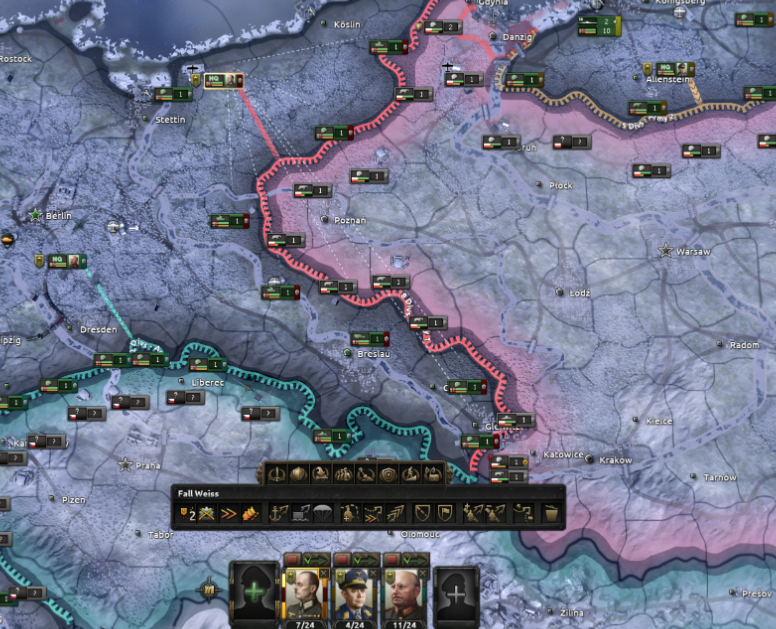 If you assign an HQ to an order, it’s signified by a line drawn to the order. The line grows thinner the further away the general is moved, signifying that the bonuses are weakened. Additionally, when a general is selected, faint lines indicate what other divisions are assigned to the same order (thus showing which divisions will get the increased benefits).
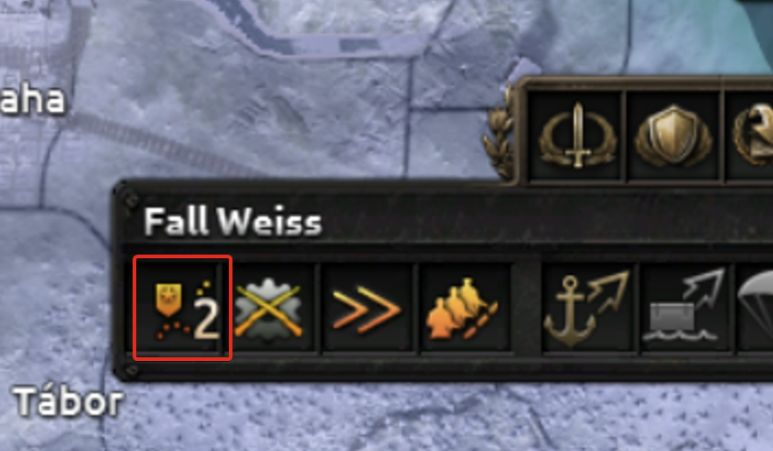 A new indicator allows you to set the proximity to the frontline for the army HQ. When enabled, the HQ unit tries to stay a certain amount of provinces behind the frontline. It follows it automatically upon advancing, or retreating, if need be. You can also set it to be free if you want to micro its movements in detail. Right now, you get scaling benefits to ability and general modifier output when moving it closer to the frontline, along with the aforementioned planning bonus increase.
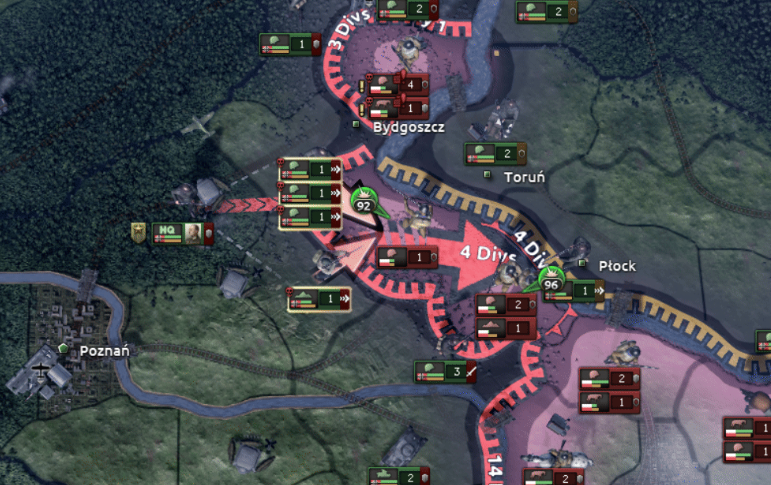 Just wait for it. The little guy moves eventually.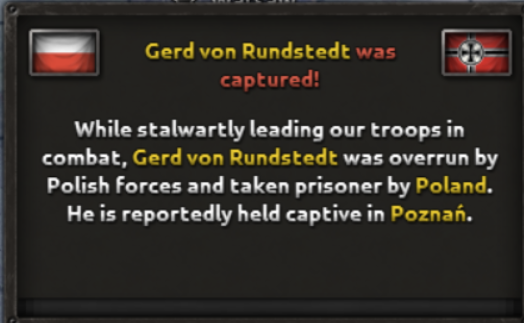
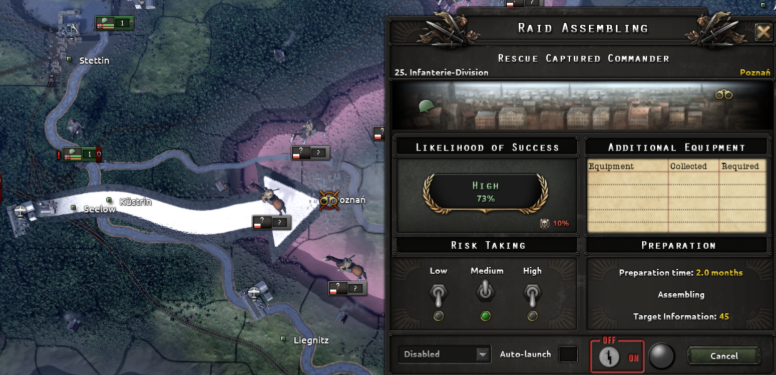 This is what the raid options look like. Usually works best if you own a supply hub near where your general is captured!
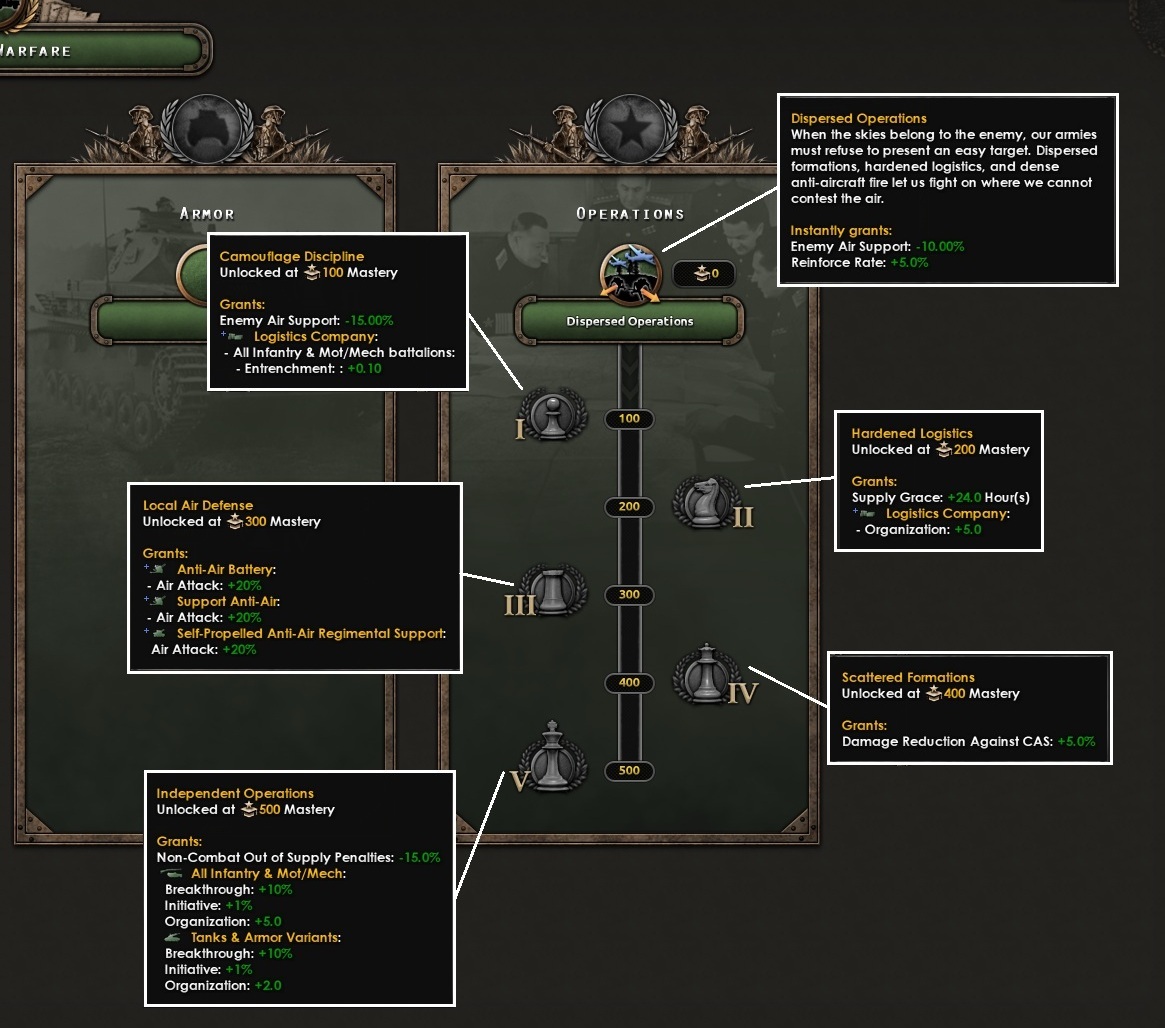 Camouflage Discipline: The bonus enemy armies draw from air superiority over you drops by a further 15%, and logistics companies grant +0.1 entrenchment per infantry battalion.
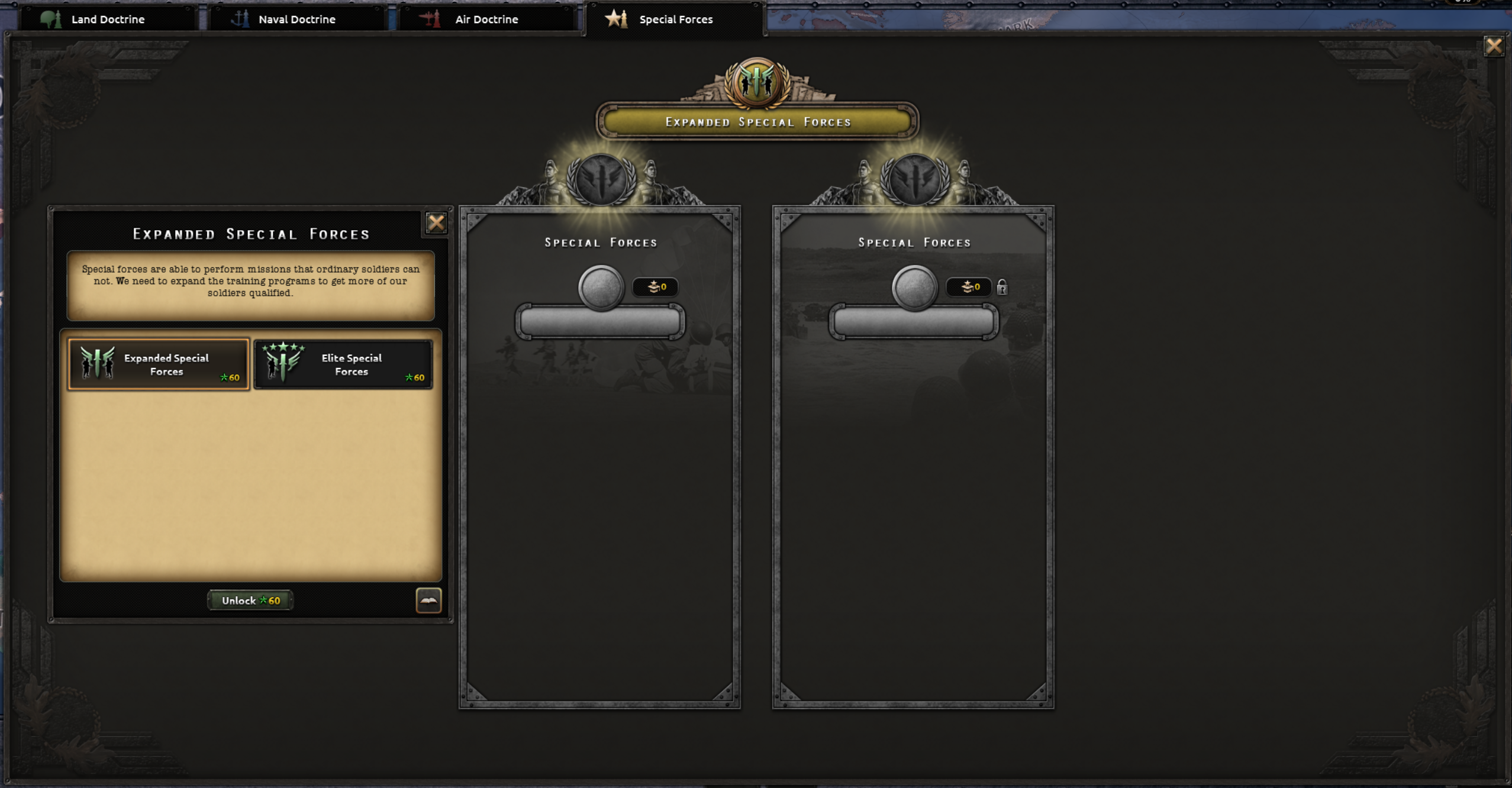 There are two ‘Grand Special Forces Doctrines’ - to choose from, one which is mostly focused about expanding the limit of the number of Special Forces, while the other one is more focused about their quality and capabilities. Those that remember Waking the Tiger, will find that those two Grand Doctrines are loosely inspired by the Special Forces Technologies added with WtT, thus merging old, with newer things, and moving them to the brand new system.
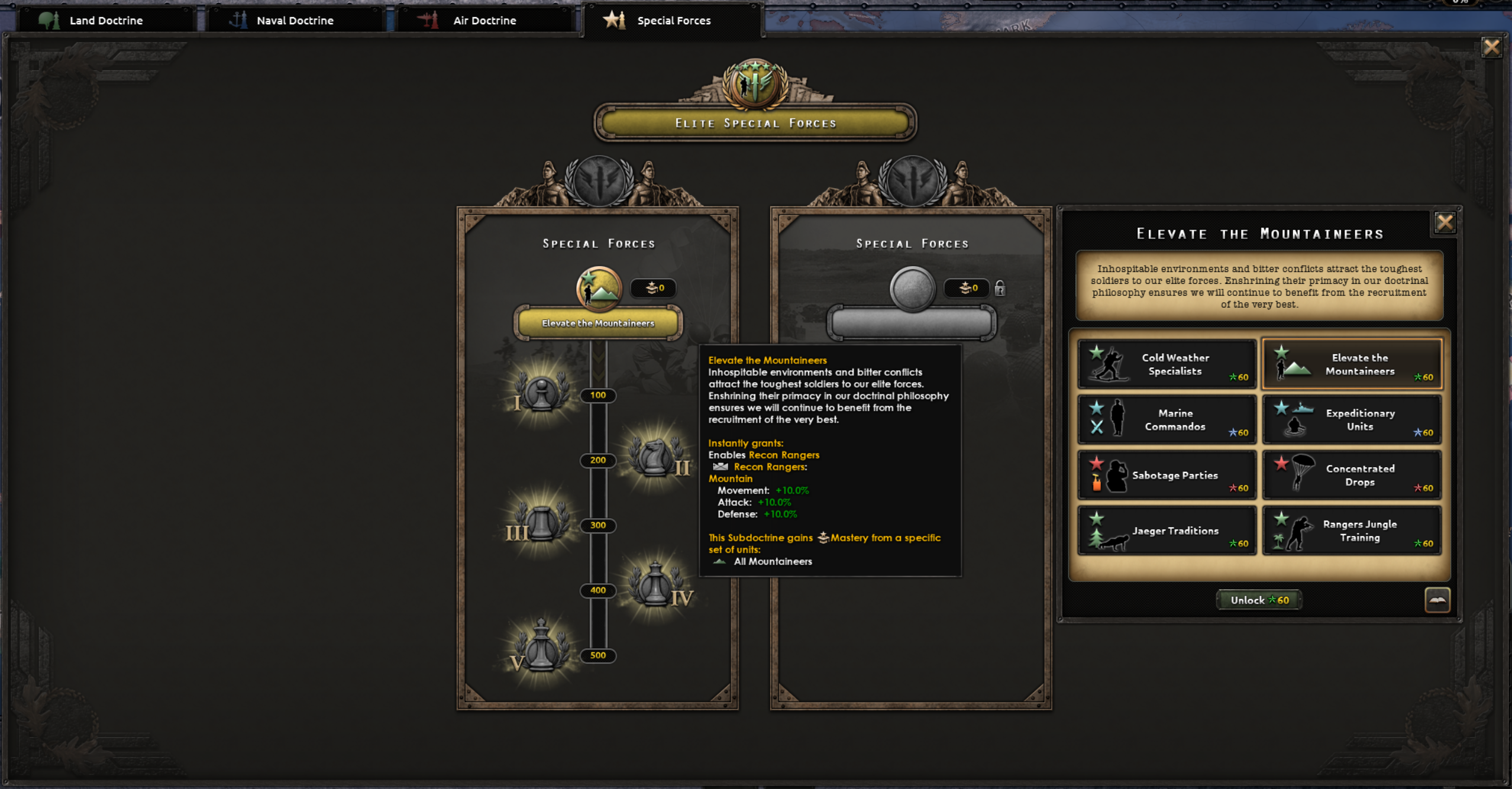 After selecting the Special Forces ‘Grand Doctrines’, you will be able to select one of two, six or eight Subdoctrines (depending on which expansions you own) into two Tracks. Each Special Forces branch is represented by two Sub Doctrines, like Mountaineers have Cold Weather Specialists and Elevate the Mountaineers.
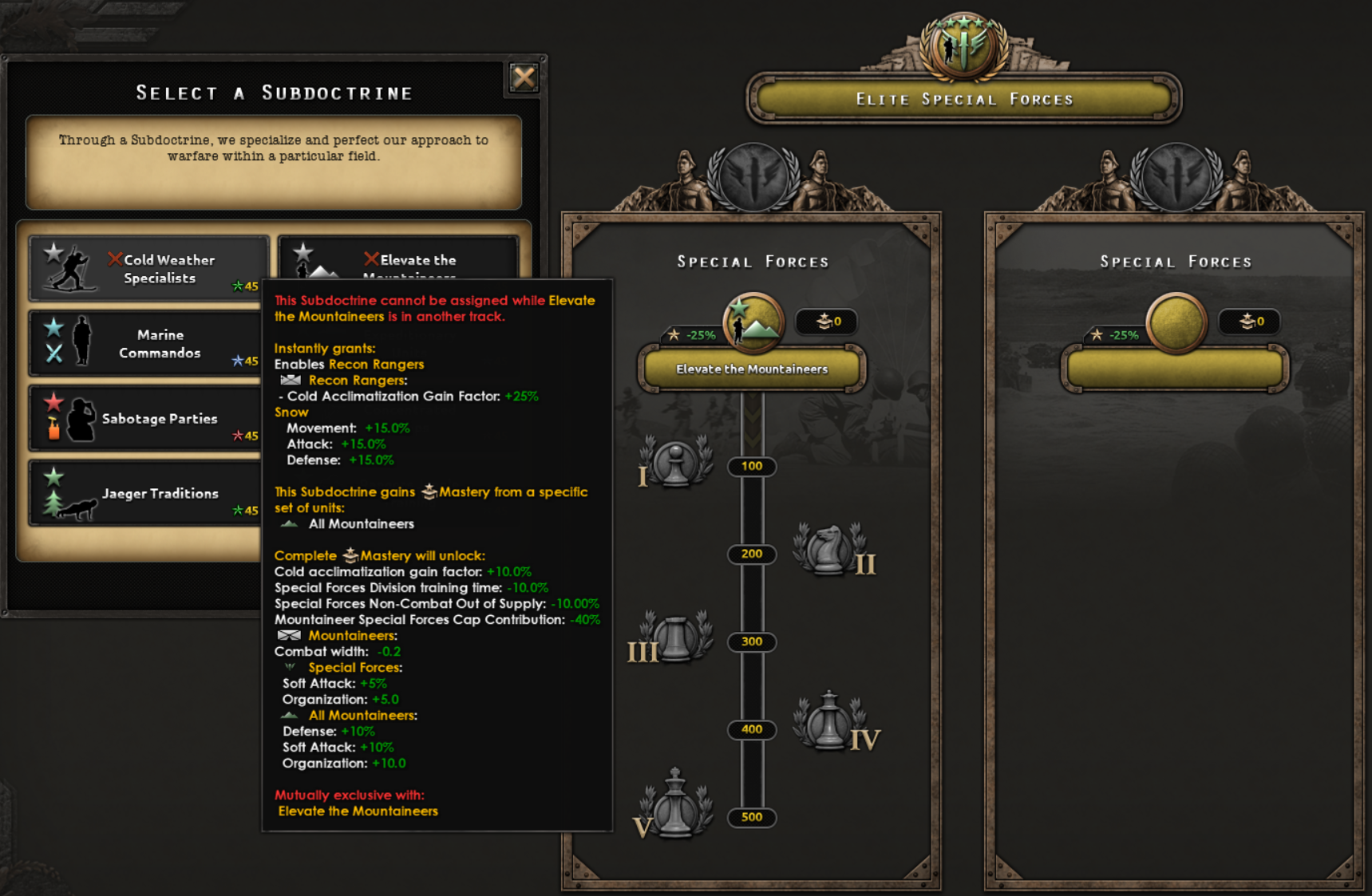 Example of mutually exclusive Sub Doctrines. When we added the doctrine system in No Compromise, No Surrender, things like mutually exclusive choices were not directly available, but now we have expanded Doctrines with a new set of things that can be done, which I am fairly sure modders will love to sink their teeth in.
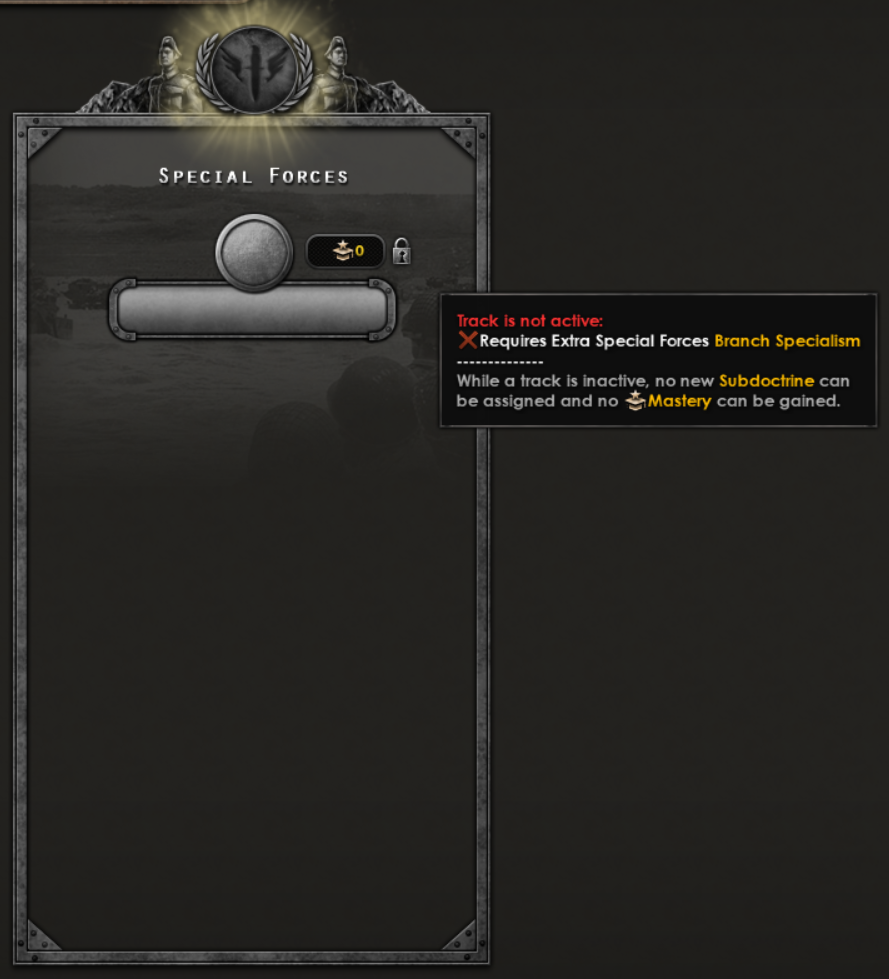 Special Forces Doctrine track that needs to be activated.Pick the proper National Focus or enact a decision to further specialize and increase effectiveness of your second Special Forces branches.
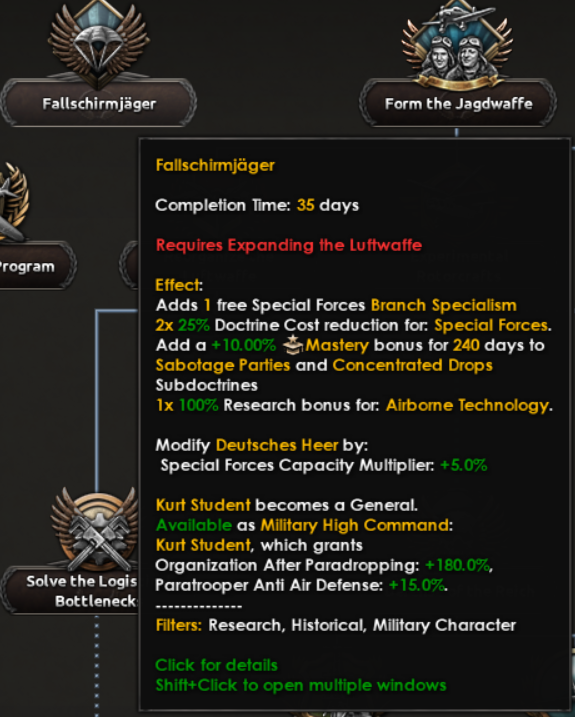 Look at that subtle off-white coloring. The tasteful thickness of it. Oh, my God.
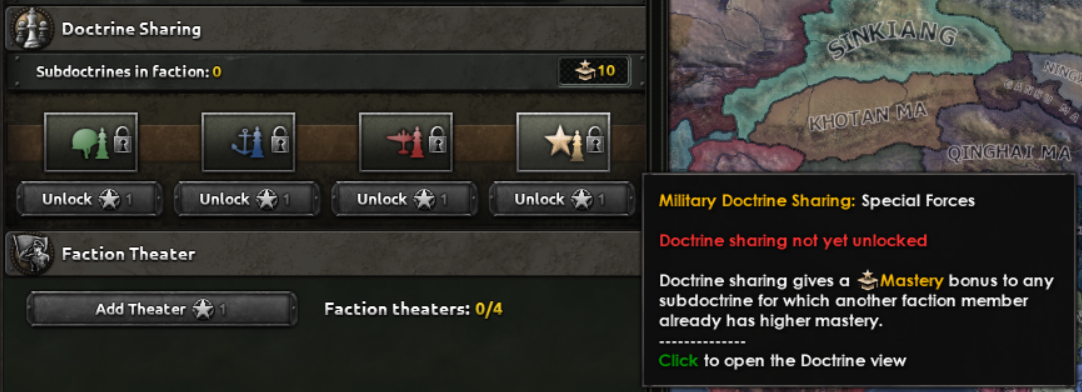 Updated Faction Military Window. You too now can spread the hard earned knowledge of Special Forces, or benefit from the hard labour of others.
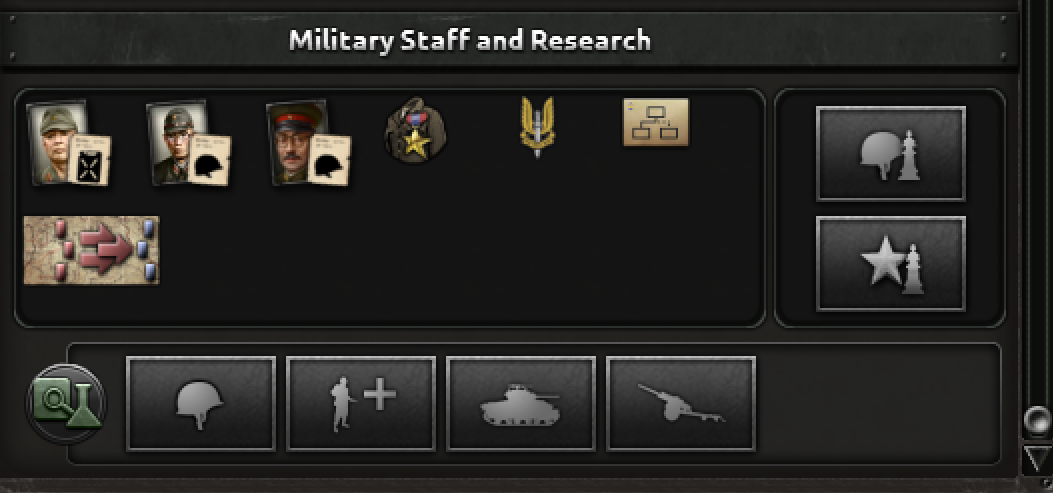 And here it is, the new button that will allow you to peek into your (potential) opponents Special Forces Doctrine.






 Award
Award 1
1


 How to get a date with a real girl


 Актуальные шаблоны в HoI IV (флот,пех,T)






 Гайд на поиск девушки, если ты игрок в хой4



 Как увеличить население в Millennium: Damaged Continuum
 Комарутания - кто это и сколько у нее дивизий
 Loading

